Safari web browser has
a unified search field
which combines a URL address field
with a search field.
Type a URL such as www.iMentor.it
into the search field and
Safari will deliver you to the address.
Type one or more words into the field
and a search of Internet web pages
will be performed.
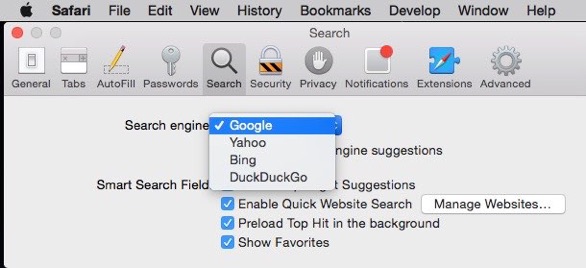
In Safari, set which search engine
you want to use at
Safari menu > Preferences > Search > Search engine.
Safari 8 gives the choice of Google, Yahoo,
Bing and DuckDuckGo.
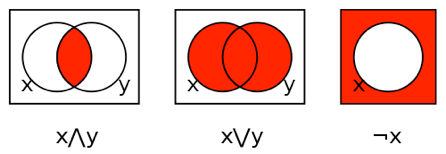
A Google search is an exercise in Boolean algebra.
Finding something involves three basic operators:
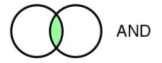
AND (^) — Finds pages where both terms are present
(Horse AND Jockeys) finds pages with both the words “Horse” and “Jockeys"
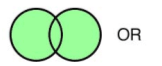
OR (v) (|)— Finds pages where any of the terms are present.
(Horse OR Jockeys) finds pages with “Horse” as well as pages with “Jockeys"
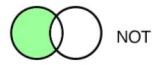
NOT (-) — Excludes pages with certain words.
((Horse AND Jockeys) NOT Race) finds pages with both "Horse” and
“Jockeys”, but not “Race"
When creating a Boolean argument in a Google search,
AND is assumed by a space,
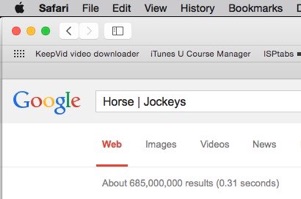
Pipe ( | ) can represent OR, OR must be typed in CAPS
NOT is a minus sign in front of the excluded word.
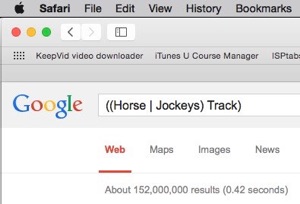
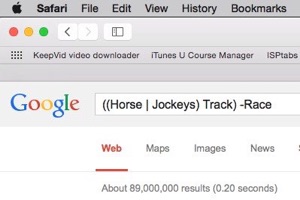
((Horse OR Jockeys) AND Track) NOT Race
can be written:
((Horse | Jockeys) Track) -Race
Each addition to the formula limits the search further:
Parentheses are used to force the order of operations.
The natural order of operations is ( ), NOT, OR, AND
Changing the positions of the parentheses may change the search results.
Other operators consider the proximity of words to each other.
WITHIN “X” — write WITHIN 3 blog (“write” and “blog” are within 3
words of each other)
NEAR — write NEAR blog (“write” is within 10 words of “blog”)
BEFORE — write BEFORE blog (“write” comes before “blog”)
AFTER — blog AFTER write (“blog” comes after “write”)
Still other operators are BUT, BETWEEN, WITHIN and ADJ.
A useful search tool is quotation marks.
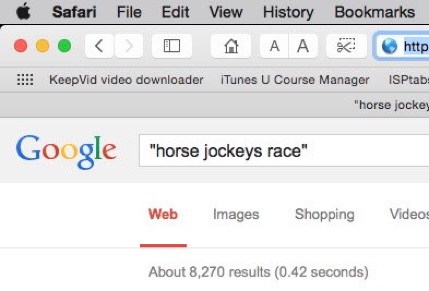
Quotation marks keep multiple words together as a continuous string.
horse jockeys race
yields 82,000 results.
“horse jockeys race"
yields 8,270 results.
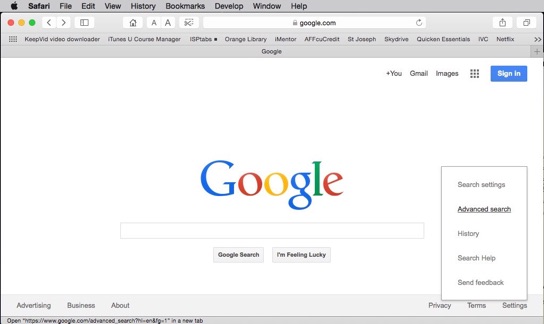
If you don’t want to write the Boolean equations yourself, use Google’s
Advanced Search.
Look in the gear menu for Advanced search.
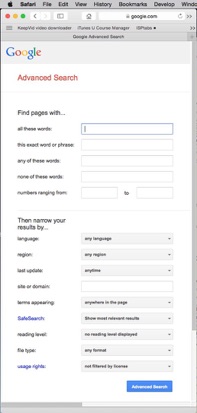
Advanced Search allows to you add:
— all these words (AND)
— this exact word or phrase (in parentheses)
— any of these words (OR)
— none of these words (NOT)
— numbers ranging from (this) to (that)
Further narrow your search by
language,
region,
last web page update,
site or domain,
where on the page the words appear,
without explicit results,
reading level,
file type
and usage rights.
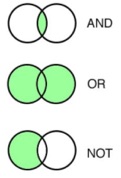
AND narrows your search by requiring both terms.
OR broadens your search by including either term.
NOT narrows your search by excluding some terms.
Boolean math makes your search more precise.
Boolean
Saturday, February 7, 2015
weekly hint and rant #314
Click here for this week’s music

714-728-3224
949-734-0056