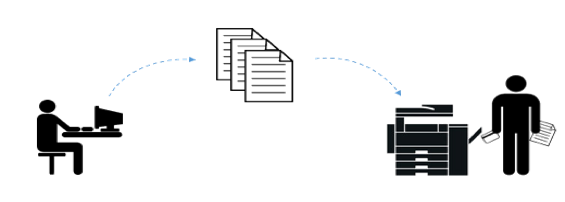
In order to print something
from a computer, phone or tablet
there must be a path for
the data to travel.
The simplest connection
between a computer and a printer
is a USB cable.
In a Mac, the software connection
between the computer
and the printer is automatically
configured for USB.
When the USB cable is
connected a printing queue
is automatically created.
A print queue is the place where print jobs
wait (in a queue, AKA line) to be printed.
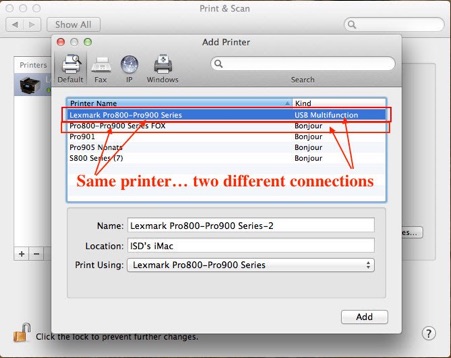
You can find the print queues on a Mac in
Apple menu > System Preferences > Printers & Scanners.
This is also where you would add or delete a queue.
The queue is more than just a place for print jobs to wait to be printed.
It is the physical path between the computer and the printer.
In the case of USB, the path is from the application to the queue,
to the print driver, to the USB bus, through the cable, to the printer’s USB port.
When a print job is sent to a USB queue the cable must be connected
or the job will never reach the printer.
When the queue is configured, the correct printer driver is selected.
Printer drivers translate the document to be printed into language
the printer can understand.
USB is fine for a computer which is located near the printer.
USB cables are effective to a maximum of 5 meters.
Computers which are farther away from the printer than 5 meters
cannot use a USB cable.
In that case you must print from the computer over a network to the printer.
If the printer is capable, you can connect it to a network.
iPhones and iPads cannot be connected to a printer via USB cable
so a WiFi connection to a network printer is required.
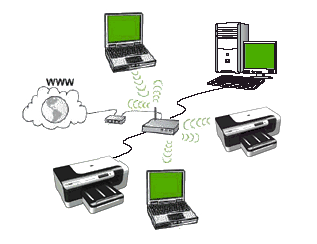
Wireless printers are not meant to connect wirelessly directly to
a computer or mobile device.
Wirelessness in a printer is its ability to connect wirelessly to a router.
The router is the center of a home network.
It is the traffic cop which directs devices on the network to the Internet
and to each other.
A printer can be connected to a router with an ethernet cable.
Alternately, a printer can be connected via WiFi.
Both connections are the same to the router.
Once a printer is connected to a router, other devices which are connected
to the same router can find the printer.
Even if a computer has a USB queue configured, a separate queue
must be created to connect via the network.
When a print job is sent to a network queue the computer and the printer
must be connected to that network or the job will never reach the printer.
A network print job travels from the application to the queue,
to the print driver, to the NIC (Network Interface Controller), over WiFi or ethernet to the router, then from the router to the printer NIC.
In the case of an iPhone or an iPad, the mobile device
must be connected to the same WiFi network as the printer.
Sharing to the printer allows the iPhone or iPad
to send a print job over WiFi to an Airprint-enabled printer.
Airprint is Apple technology which provides driverless
automatic configuration for mobile devices.
Airprint is available on most popular printers.
Trouble shooting a USB connection between a computer and a printer:
-
1.Assure that the printer and the computer are on.
-
2.Check for errors on the printer display (such as out of ink or paper)
and correct them.
-
3.Check the physical cable connection at the printer and at the computer.
-
4.Eliminate a USB hub problem by connecting the USB cable directly
to the computer.
-
5.Check the print queue for stalled print jobs. Delete such jobs
and try again.
-
6.Sometimes a print queue becomes corrupted. Delete a
corrupted queue and set up a new one.
-
7.If all the above is OK, the printer might be broken. Buy a new one.
Trouble shooting a network connection between a networked device
and a printer:
-
1.Assure that the printer and the computer are on.
-
2.Check for errors on the printer display (such as out of ink or paper)
and correct them.
-
3.Assure that the printer and the computer (or mobile device)
are on the same network.
-
4.Check the print queue for stalled print jobs. Delete such jobs
and try again.
-
5.Sometimes a print queue becomes corrupted. Delete a
corrupted queue and set up a new one.
-
6.If all the above is OK, the printer might be broken. Buy a new one.
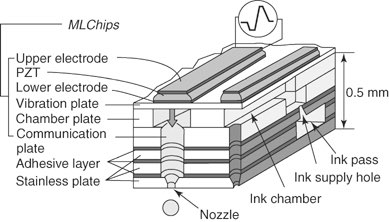
Printers are amazing examples of technology.
They spray tiny dots of ink onto paper with photographic resolution.
They are fast and reliable.
Connecting to a printer is relatively simple.
All this technology comes with a price.
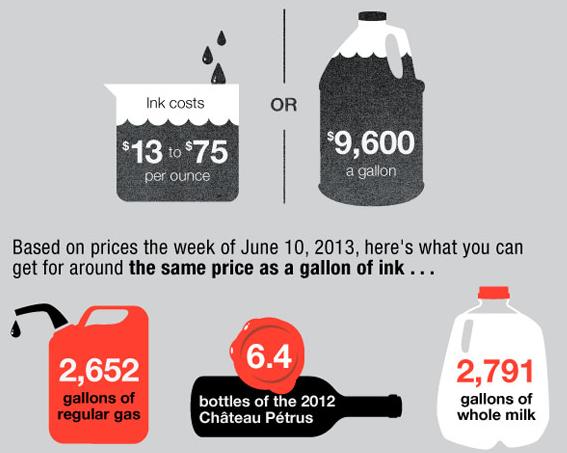
Ink is expensive.
Printer manufacturers lose money on every printer they sell,
but make up for it by selling $5 ink cartridges for $25.
In some cases it is less expensive to buy a new printer than to replace the ink.
Also, a printer seldom lasts more than 3-4 years.
Fortunately, a good printer is only about $150…far less than the cost
of a technician to repair it.
When a printer wears out or breaks, buy a new one.
Queue It Up
Saturday, May 12, 2018
weekly hint and rant #484
951-382-4745
714-728-3224
949-734-0056


Click Here for
this week’s music