Episode 571 January 11, 2020 Some things are right in front of you and cannot be seen. They may not be obvious. They may be disguised. They may be invisible. https://www.youtube.com/watch?v=nj8MV2r8XdE On your Macintosh computer’s hard drive are thousands of invisible files. These are essential system files that Apple would rather you not see. Deleting or modifying such files can break the operating system. Messing with invisible Library or preference files can break the databases they support. The Mail folder in your User Library is a good example of an invisible file that should not be touched. The Mail app on...
Episode 570 January 4, 2020 How do you connect to the Internet? My iPhone connects to T-Mobile’s cell towers. When i am home my iPhone, iPads and computer connect to my WiFi. https://www.youtube.com/watch?v=Wz_RAud0els When connected to WiFi the iPhone does not use the T-Mobile cell connection. WiFi has priority on iPhones and iPads. The other day i was in town with three bars on my cellular connection, yet i could not get the Internet. i noticed that i was also connected to a regional ATT WiMax terrestrial WiFi hot spot. Since i no longer subscribe to ATT the connection did not...
Episode 569 December 28, 2019 The first presentation program available on a consumer computer was Powerpoint. At first it was used to produce 35mm slides but soon became the go-to app for projector slide presentations. It was released in 1987 by Forethought, Inc. for Macintosh only. Microsoft bought Powerpoint three months later for 14 million dollars. Powerpoint was part of the suite of programs called “Microsoft Office” for the Mac, released in 1989. Powerpoint became a standard for electronic slide show presentations when included in Office for Windows in 1990. https://www.youtube.com/watch?v=iPDl9yKSnDE A presentation application replaced overhead transparencies. At first it...
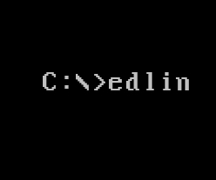
Episode 568 December 21, 2019 One of the first applications available on a computer was part of MS-DOS. It was a line processor called “Edlin”. This program allowed the user to edit an entire line of a text file. Typing 1,6L (for example) would list lines 1 through 6. The editor could replace a line, delete a line or insert a line using a handful of commands. https://www.youtube.com/watch?v=HIWY8UyW9bw A text processor application is an electronic version of a typewriter without the need for retyping or type white to change the text. Working with Edlin gave the user great flexibility with text...
Episode 567 December 14, 2019 One of the first applications available on a computer was a spreadsheet program called Lotus 1-2-3. This was meant to replace the grid paper that accountants used to do calculations and keep financial records. A spreadsheet application is an electronic version of gridded paper which does the math for you. https://www.youtube.com/watch?v=-7KuJZanjCY My old boss Mike came from an accounting background and started with paper spreadsheets. When he created a paper spreadsheet the field in the lower right corner was always a “foot” that contained the sum of the bottom row and the sum of the...
Episode 566 December 7, 2019 This bLog has discussed passwords many times, yet knowing passwords remains a challenge for most users. As human beings we know 20,000 words and use 5,000 of them while routinely speaking or writing. https://www.youtube.com/watch?v=7w-1MR1E6so Why is it so hard to remember the 5 or 6 passwords we use all the time? The main reason people do not know their passwords is that we teach our computers to remember them for us. When setting up email we tell the mail app to remember our email password. When setting up a computer for the first time we...